Author: DTEA.ORG

  • Hardware vs. Software Encoding: What’s Saving More Power?

    Hardware vs. Software Encoding: What’s Saving More Power?

    If you’re running a streaming service or managing a data center in 2026, your power bill is probably your biggest headache. As resolutions climb toward 8K and frame rates hit 120fps, the sheer math of moving pixels is becoming an environmental and financial liability.

    The debate used to be about quality: "Software encoding looks better; hardware encoding is faster." But today, the conversation has shifted. In a world of carbon taxes and skyrocketing energy costs, the real question is: Which one is going to keep your data center from melting?

    At the Data Transmission Efficiency Alliance (DTEA), we look at the hard data. We’ve analyzed the benchmarks, and the gap between software and hardware efficiency isn't just a few percentage points: it’s an order of magnitude.

    The Contender: Software Encoding (The Brute Force Approach)

    Software encoding relies on a general-purpose Central Processing Unit (CPU). When you use libraries like x264, x265, or the newer SVT-AV1, you are essentially asking a "Jack of all trades" chip to solve a very specific, incredibly complex mathematical puzzle.

    Because a CPU is designed to handle everything from operating system kernels to spreadsheet calculations, it isn't optimized for the repetitive, heavy-lifting math required for video compression.

    Why It Eats Power

    To achieve the best possible quality (highest Rate-Distortion performance), software encoders use "slow" presets. These presets force the CPU to run at high clock speeds, utilizing AVX-512 instructions and saturating every available core.

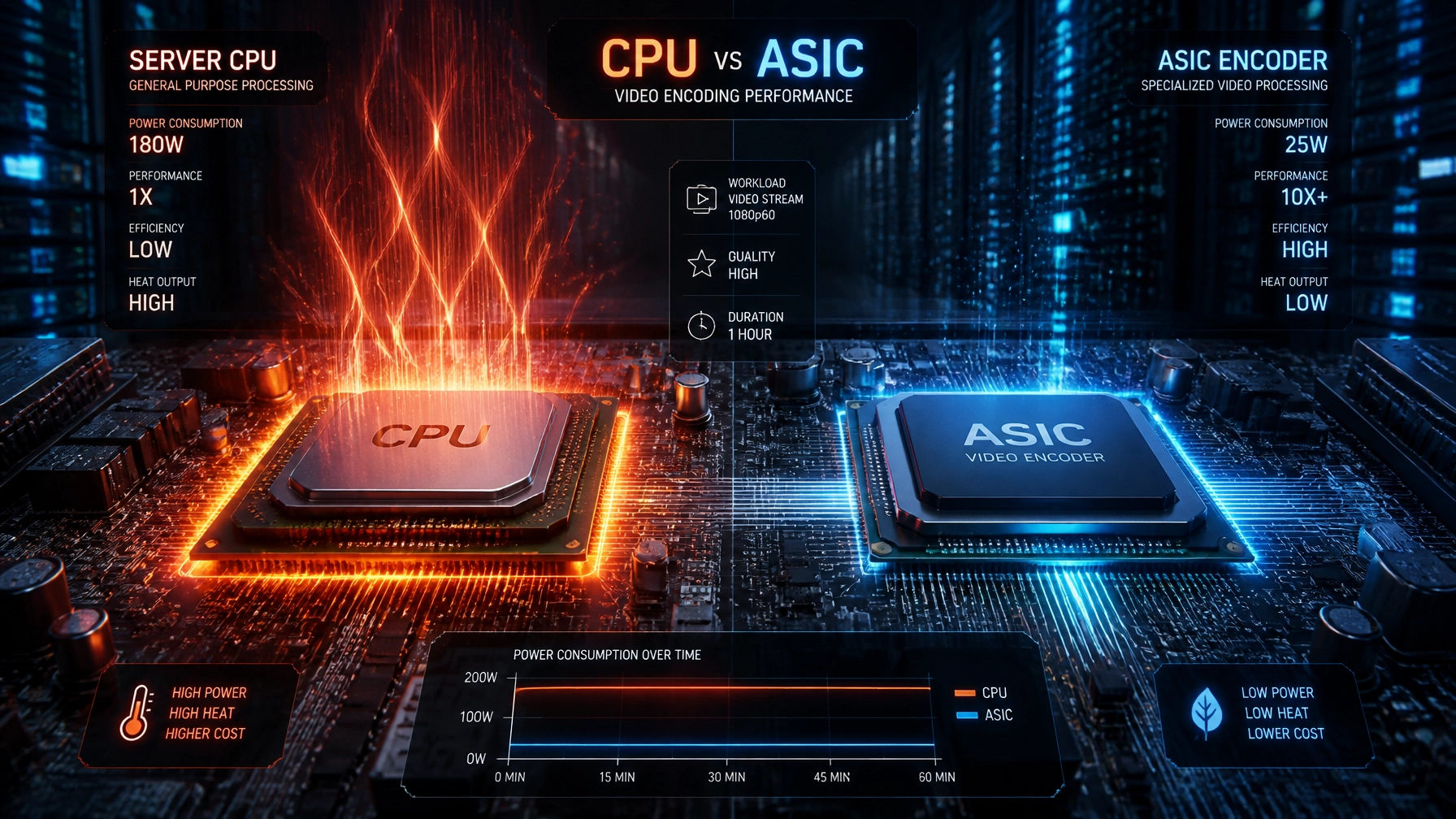
    For a single 4K stream, a high-end CPU like a Ryzen 9 or a top-tier Intel Xeon can easily sit at its Thermal Design Power (TDP) of 150W to 250W. In a data center context, that translates to massive cooling requirements. You aren't just paying for the electricity to run the chip; you’re paying for the industrial AC to pull that heat out of the room.

    The Verdict: Software offers the best quality-per-bit, but it has the worst "Watts-per-stream" ratio in the industry.

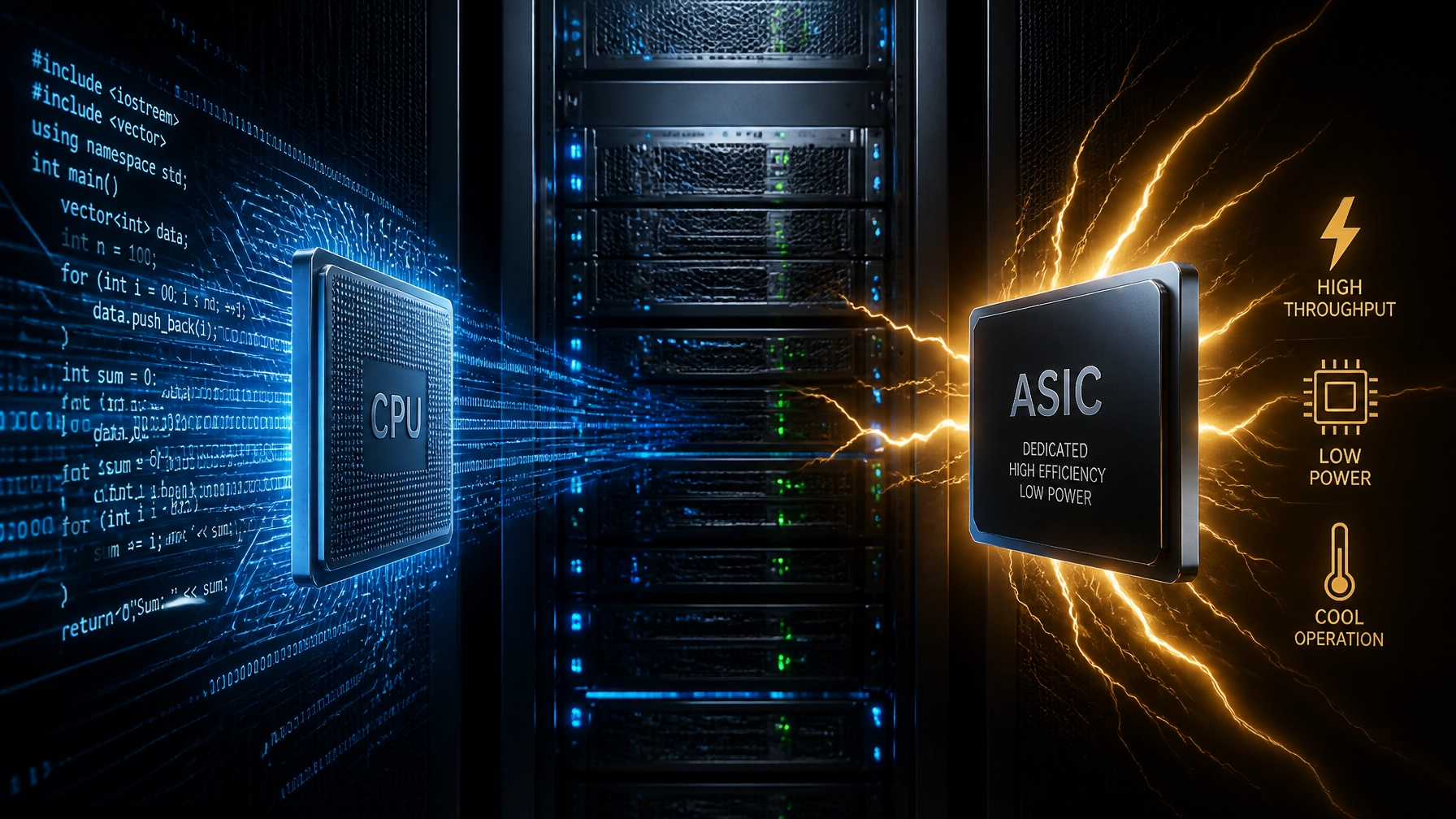
    An illustration comparing the heavy energy consumption of software engines vs the efficiency of hardware motors

    The Middle Ground: GPU Hardware Encoding

    Most modern GPUs (like NVIDIA’s NVENC or Intel’s Quick Sync) include a "fixed-function" block. This is a dedicated piece of silicon on the chip that does nothing but encode and decode video.

    When you use a GPU for encoding, you aren't actually using the "Cores" that render 3D graphics. You’re using a tiny, specialized neighborhood on the chip. This is why you can stream a game in 4K using NVENC without your frame rate tanking.

    Efficiency Gains

    Because these blocks are hard-wired for video math, they are significantly more efficient than a CPU. A GPU might have a TDP of 300W, but if you’re only using the encoder block, the actual power draw attributed to the video task is remarkably low: often just a few watts above idle.

    In real-world testing, GPU hardware encoders can handle 4K real-time throughput while the total system power remains 2x to 3x lower than a CPU-only software approach. For live streaming, where "good enough" quality at low latency is the goal, GPUs are a massive step up in efficiency.

    The Champion: Dedicated ASIC Encoders

    If you want to see what peak efficiency looks like, you have to look at Application-Specific Integrated Circuits (ASICs). These aren't general-purpose chips, and they aren't even graphics cards. They are PCIe cards designed for one thing and one thing only: high-volume video transcoding.

    Companies like Google (with their Argos VCU) and Netint have proven that when you strip away everything except the encoding logic, the power savings are staggering.

    The 90% Reduction Fact

    Recent industry case studies have shown that migrating a high-volume transcoding workload from CPU-only software to dedicated ASIC cards can reduce total power consumption by more than 90%.

    Let’s look at the math from a typical large-scale deployment:

    • CPU Baseline: 325,000 Watts to handle a production workload.
    • GPU Stage: 112,350 Watts for the same workload (a 3x improvement).
    • ASIC Stage: 33,820 Watts for the same workload (a nearly 10x improvement from the baseline).

    At the card level, modern ASICs can produce roughly 25 Full HD (1080p) streams at just 27 Watts per card. That’s roughly 1 Watt per stream. For a data center managing thousands of streams, this is the difference between a sustainable business model and a financial black hole.

    A professional engineer holding a highly efficient PCIe ASIC encoder card

    The Quality vs. Power Trade-Off

    Critics of hardware encoding often point to "Rate-Distortion" (RD) curves. Historically, software encoders could produce a better-looking image at a lower bitrate than hardware encoders. This meant software saved you money on egress fees (bandwidth) but cost you more in power fees.

    However, the gap is closing. Modern hardware blocks in the latest generations of chips (like the AV1 encoders in NVIDIA 40-series or the latest Intel data center GPUs) now match the quality of "Medium" software presets.

    In the DTEA certification process, we look at the "Efficiency Frontier." This is the point where you balance:

    1. Bitrate Efficiency (Storage and delivery costs)
    2. Compute Efficiency (Power and hardware costs)
    3. Visual Quality (Customer satisfaction)

    For 99% of streaming applications: including social media, live sports, and corporate video: the slight quality edge of a "Slower" CPU preset does not justify the 10x increase in power consumption.

    Why This Matters for Sustainability (ESG)

    ESG (Environmental, Social, and Governance) reporting is no longer optional for big players like Netflix, Prime Video, or AWS. Data centers currently account for about 1-2% of global electricity use, and video accounts for over 80% of internet traffic.

    If your organization is still transcoding on general-purpose CPUs, you are leaving a massive carbon footprint on the table. Moving to hardware-accelerated encoding is the "low-hanging fruit" of data center sustainability. It’s one of the few instances where the greener choice is also the significantly cheaper choice in the long run.

    Total Cost of Ownership (TCO)

    When calculating TCO, you must look beyond the initial purchase price of the hardware.

    • Density: One ASIC server can often replace 10-15 CPU-only servers. That’s 15x less rack space.
    • Cooling: Lower power draw means your HVAC system isn't working overtime.
    • Longevity: Hardware encoders running at low thermal loads tend to have longer lifespans than CPUs pushed to 100% load 24/7.

    An abstract digital landscape representing green technology and sustainable data transmission

    Conclusion: Which Should You Choose?

    The data is clear. If you are operating at any kind of scale, hardware encoding: specifically ASIC-based: is the only way to stay energy-efficient.

    • Use Software (CPU) if: You are a boutique post-production house doing "gold master" encodes where every single bit of quality matters and power consumption is an afterthought.
    • Use GPU Hardware if: You are a gamer, an individual streamer, or a mid-sized company needing a balance of flexibility and speed.
    • Use ASICs if: You are a streaming platform, a CDN, or a data center operator. The 90% power reduction is too large to ignore.

    At the Data Transmission Efficiency Alliance, we are working to create the first independent certification system for these technologies. We believe that efficiency should be measurable and transparent. Whether you are a vendor or a consumer, knowing the "Watts-per-stream" of your tech stack is the first step toward a more efficient future.

    Interested in how your tech stack stacks up? Check out our mission at DTEA.org and join us in setting the new benchmarks for the streaming era.

  • Is 8K a Pipe Dream? The Cold Truth About Data Transmission

    Is 8K a Pipe Dream? The Cold Truth About Data Transmission

    Everyone loves a big number. In the world of displays, "8K" is the biggest number we’ve got right now. It promises four times the detail of 4K and sixteen times the detail of 1080p. It’s the "holy grail" of immersion.

    But here’s the cold, hard truth: for most of the world, 8K is currently a pipe dream.

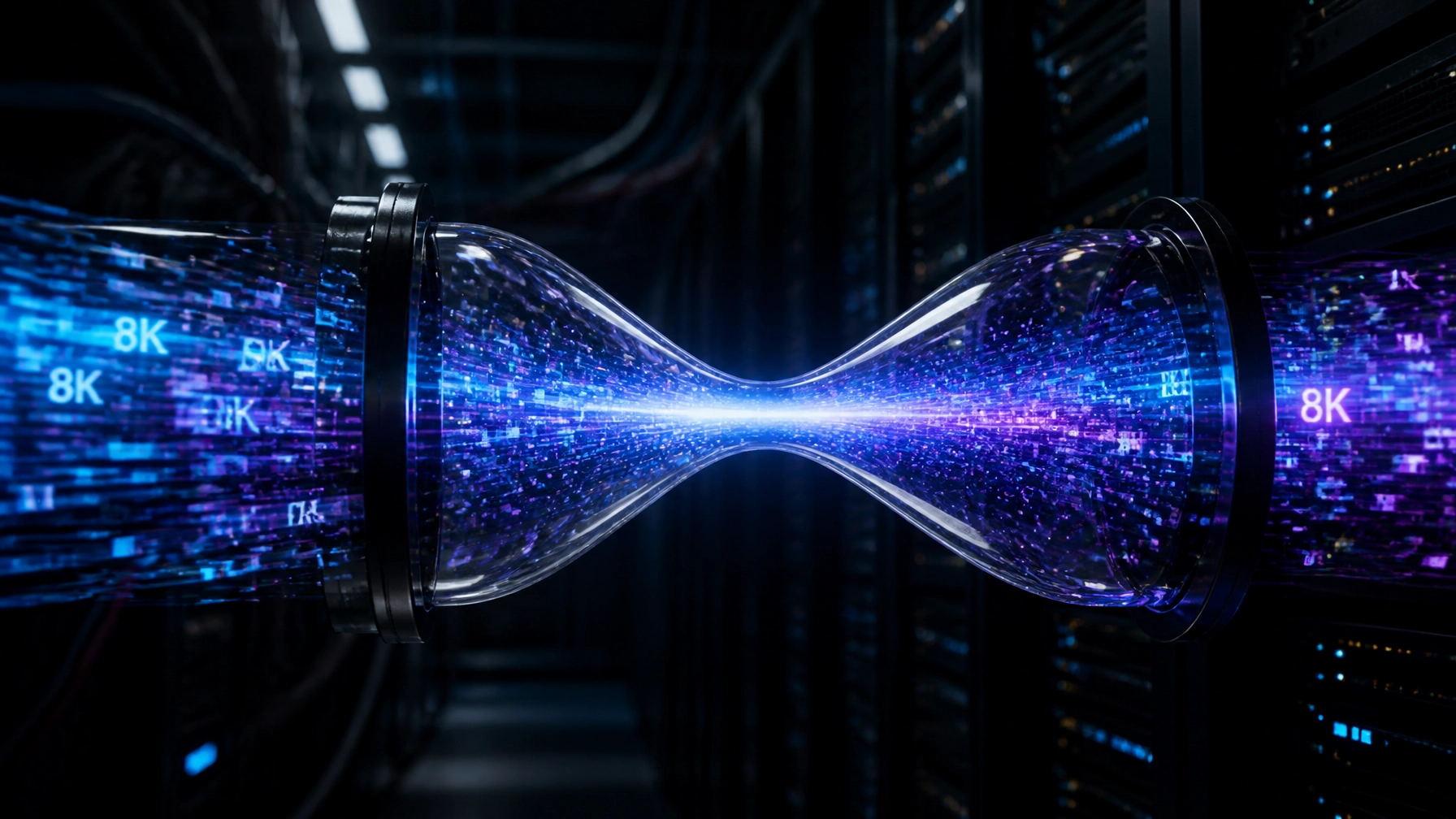
    While TV manufacturers are busy pushing 8K panels into every big-box store, the infrastructure that actually carries that video: the "pipes": is screaming for mercy. At the Data Transmission Efficiency Alliance (DTEA), we look past the marketing hype at the raw math of data transmission. And right now, the math doesn't look great for the average consumer.

    The Brutal Math of 8K

    To understand why 8K is such a headache, you have to look at the sheer volume of data involved. An 8K frame contains approximately 33 million pixels. When you’re running that at 60 frames per second (fps) in High Dynamic Range (HDR), you are asking your internet connection to do some serious heavy lifting.

    A comparison showing 8K pixel density dwarfing 4K, highlighting the massive jump in data requirements.

    Current 4K streams typically hover around 15–25 Mbps. For a "broadcast-grade" 8K experience using the standard HEVC (H.265) codec, you’re looking at 50 to 100 Mbps per stream.

    Think about that for a second. If you have a 100 Mbps fiber connection: which is considered "fast" in many parts of the U.S. and Europe: one person watching an 8K movie effectively kills the bandwidth for the entire house. No Zoom calls, no gaming, no scrolling TikTok in the other room. The pipe is full.

    Codecs: Our Only Hope?

    If the raw data is the problem, codecs are the solution. We’ve relied on HEVC for years, but it’s reaching its limit. This is where VVC (Versatile Video Coding or H.266) enters the frame.

    Industry leaders like Spin Digital have demonstrated that VVC can slash 8K bitrates down to about 30–50 Mbps without losing that "wow" factor. That’s a massive 30-40% saving over HEVC.

    However, VVC isn't a magic wand you can wave tomorrow. It requires:

    1. New Hardware: Your current smart TV or streaming stick probably doesn't have a VVC decoder chip.
    2. Massive Compute Power: Encoding 8K in VVC in real-time takes an incredible amount of server power, which means higher costs for streaming services like Netflix or Prime Video.
    3. Licensing Mess: The industry is still untangling the royalty and licensing web surrounding VVC, which slows down adoption.

    Until VVC becomes the global standard, 8K will remain an expensive, bandwidth-hungry niche.

    The Infrastructure Bottleneck: The "Last Mile" Problem

    Even if we perfected the codecs, we still have to get the data to your living room. This is known as the "Last Mile" problem.

    A holographic map showing the global digital divide, where only a few regions have the infrastructure to support 8K.

    While 5G and Fiber-to-the-Home (FTTH) are expanding, they are not universal. A stable, sustained 100 Mbps connection is a luxury. In many regions, network congestion during peak hours (the "Netflix rush hour") causes bitrates to plummet. If your 8K stream drops to 20 Mbps because the neighborhood is busy, it’s no longer an 8K stream: it’s just a blurry mess upscaled by your TV.

    Furthermore, the cost of moving this much data is astronomical. For a streaming service, delivering 8K means paying CDNs (Content Delivery Networks) significantly more in egress fees. According to recent infrastructure guides, CDN delivery for 8K requires edge servers with 100 Gbps+ interfaces and massive caching capacity.

    Most companies simply aren't ready to pay 4x the delivery cost for a resolution that only 1% of their audience can actually see.

    Is 8K Actually Sustainable?

    We also need to talk about the elephant in the server room: energy.

    More data equals more electricity. More electricity equals a larger carbon footprint. In an era where ESG (Environmental, Social, and Governance) goals are becoming mandatory for big tech, 8K is a hard sell.

    A data center server rack showing high energy usage when 8K is active, emphasizing the sustainability challenge.

    Transmitting 8K video at scale could potentially double the energy consumption of data centers involved in video delivery. At the Data Transmission Efficiency Alliance, we believe the industry needs to prioritize efficiency over raw resolution. If we can’t deliver 8K sustainably, should we be delivering it at all?

    Why "Good Enough" 4K is Winning

    For the average viewer sitting 10 feet away from a 65-inch TV, the visual difference between a high-bitrate 4K stream and a medium-bitrate 8K stream is negligible. Human biology is the ultimate bottleneck. Unless you have a 100-inch screen or you’re sitting three feet away, your eyes simply cannot resolve those extra pixels.

    Streaming giants know this. They would rather spend their bits on better color (HDR), higher frame rates (60fps+), and reducing compression artifacts in 4K than chasing the 8K dragon.

    The Role of DTEA: Moving Toward a Standard

    So, is 8K dead? Not at all. It’s the future for virtual reality, medical imaging, and massive stadium displays. But for your living room, it’s currently on life support provided by marketing departments.

    The mission of the Data Transmission Efficiency Alliance (DTEA) is to bridge this gap. We are establishing the first independent certification system for video compression and data transmission.

    The DTEA Certified seal, representing a new standard for efficient data transmission.

    By setting performance benchmarks, we help companies identify which technologies actually deliver on their promises. Whether it’s a new AI-powered codec or a more efficient CDN protocol, our goal is to ensure that when a company says they are "8K Ready," they aren't just blowing smoke: they are delivering a high-quality, efficient, and sustainable experience.

    Conclusion: The Reality Check

    8K isn't a pipe dream forever, but it’s a pipe dream for now for the mass market. The technology exists, but the economics and the infrastructure do not.

    Until we see a massive rollout of VVC-capable devices and a total overhaul of global broadband stability, 4K will remain the king of the mountain. At DTEA.org, we’re working to make sure that when the pipes are finally ready, the data flowing through them is as efficient as possible.

    If you’re a streaming service or a data center looking to optimize your transmission and get ahead of the 8K curve, contact us today to learn more about our certification programs.


  • Can AI Actually Replace Human Quality Testing in 2026?

    Can AI Actually Replace Human Quality Testing in 2026?

    The debate used to be simple: human eyes are the gold standard, and algorithms are just a fast approximation. But as we move through 2026, that line isn't just blurring, it’s being redrawn by neural networks.

    At the Data Transmission Efficiency Alliance (DTEA), we spend our days looking at the math behind the pixels. We see the struggle streaming giants like Netflix, Prime, and Disney+ face every day: how do you maintain world-class quality when you’re pushing petabytes of data through a global infrastructure that is constantly changing?

    The short answer? You can't do it with humans alone anymore. But you also can’t trust the AI blindly.

    The Speed Wall: Why Humans Are Losing the Race

    In the early days of streaming, "quality control" meant a room full of experts sitting in calibrated dark rooms, watching clips and assigning a Mean Opinion Score (MOS). It was accurate, but it was also slow, expensive, and impossible to scale.

    Fast forward to 2026. A single major streaming platform might ingest thousands of hours of content daily across hundreds of different device profiles. If you tried to have a human "Subjective Test" every encode, your content would be months late to the platform.

    AI-based quality assessment (VQA) has stepped into this vacuum. Metrics like VMAF (Video Multi-Method Assessment Fusion), pioneered by Netflix and now the industry bedrock, have reached a point where they can predict human perception with terrifying accuracy, often exceeding 95% correlation with real human panels for standard content.

    The 2026 AI Toolbox:

    • Content-Aware Ladder Generation: AI now predicts the perfect bitrate for every specific scene before a single frame is encoded.
    • Real-time QoE (Quality of Experience) Prediction: Algorithms monitor the viewer's network and device in real-time, adjusting quality before the viewer even notices a frame drop.
    • Neural Post-Filters: AI isn't just measuring quality; it’s actively "fixing" compression artifacts on the fly using standards like MPEG-AI.

    A conceptual digital dashboard showing real-time video quality metrics. Colorful graphs represent VMAF scores, bitrate efficiency, and perceptual quality levels, all processed by an AI engine.

    The "Human Moat": Where Algorithms Still Trip

    If AI is so good, why are human testing panels still a multi-million dollar industry in 2026?

    The problem is innovation.

    AI metrics are trained on existing data. They "know" what a standard H.264 or HEVC compression artifact looks like because they’ve seen millions of them. But as we move toward Neural Codecs and AI-driven super-resolution, we are introducing "hallucinations", artifacts that don't look like traditional blockiness or blur.

    An AI might give a high score to a frame that looks "sharp" to its mathematical model, while a human viewer would immediately spot that a character’s face looks like it’s made of plastic, the dreaded "uncanny valley" of video compression.

    Research from the Streaming Learning Center shows that for AI-based codecs, traditional objective metrics can significantly underestimate real perceptual gains or, worse, miss glaring errors. This is why for any new technology, human validation remains the final word.

    The DTEA Benchmark: Independent Truth in an AI World

    This is exactly why the Data Transmission Efficiency Alliance exists.

    In a world where every vendor claims their "AI-powered encoder" is 50% more efficient than the competition, who is actually checking the math? Without independent benchmarks, the industry relies on "marketing metrics" that often fall apart under real-world stress.

    DTEA is establishing the first independent certification system that balances these two worlds. We don’t just look at the VMAF score. We benchmark the technology against a rigorous set of standards that include:

    1. Subjective Validation: Periodically checking AI metrics against diverse human panels to ensure no "drift" in quality perception.
    2. Cross-Codec Efficiency: Comparing how AI-enhanced traditional codecs (like AV1 or VVC) stack up against emerging neural-only codecs.
    3. Data Transmission Sustainability: Measuring the energy cost of the AI itself. If an AI "saves" 10% in bandwidth but costs 20% more in data center power to run, is it actually efficient?

    A professional certification seal representing the Data Transmission Efficiency Alliance (DTEA). The seal is clean, modern, and conveys authority and technical excellence in data transmission.

    The Verdict: A Hybrid Future

    So, can AI replace human quality testing in 2026?

    The answer is No, but it has replaced the majority of the workload.

    We have entered the era of Augmented QA. In 2026, the workflow looks like this:

    • AI handles 99.9% of the volume. It flags "low-confidence" encodes that don't fit its training model.
    • Humans handle the "Exceptions." Expert eyes focus on the 0.1% where the AI isn't sure, or on the R&D of entirely new transmission technologies.

    For streaming services and data centers, the goal isn't to pick a side; it's to verify that their AI tools are actually delivering what they promise. Efficiency isn't just about reducing bits; it's about ensuring those bits still tell the story the creator intended.

    Get Certified

    If your organization is pushing the boundaries of what’s possible in video transmission, it’s time to stop grading your own homework. Join the DTEA and help us set the performance benchmarks for the next decade of data.


  • Hardware vs. Software Encoding: What’s Saving More Power?

    Hardware vs. Software Encoding: What’s Saving More Power?

    If you’re running a streaming platform or a data center in 2026, you’re constantly fighting a two-front war: video quality versus energy costs. As 4K becomes the baseline and 8K looms on the horizon, the amount of data we’re pushing is staggering.

    But here’s the kicker: how you process that data determines whether your electricity bill is a manageable line item or a total disaster.

    The industry usually splits the world into two camps: Software Encoding (running on general-purpose CPUs like Intel Xeons or AMD EPYCs) and Hardware Encoding (using specialized chips like NVIDIA GPUs or dedicated ASICs).

    We’re breaking down the technical differences and, more importantly, the power consumption reality.

    The Generalist: Software Encoding (CPU)

    Software encoding is the old-school, reliable workhorse. When you use encoders like x264, x265, or AV1 on a standard server CPU, you’re using "general-purpose" logic.

    Why people love it:

    • Flexibility: You can update your codec with a simple software patch.
    • Maximum Quality: If you give a CPU enough time (slow presets), it will produce the most bitrate-efficient file possible.

    The Power Problem:

    The issue is that CPUs aren't built specifically for the math involved in video compression. They spend a lot of energy on "overhead": things like instruction fetching and context switching.

    In a recent study, researchers found that high-end CPUs like the Ryzen 9 or server-grade Xeons often consume double the total system power compared to hardware encoders when trying to maintain real-time 4K quality. To keep up with live streams, CPUs have to use "faster" presets, which drops the quality and defeats the purpose of using a CPU in the first place.

    Comparative power meter showing CPU vs ASIC efficiency

    The Specialist: Hardware Encoding (GPU & ASIC)

    Hardware encoding uses "fixed-function" logic. These are physical circuits etched into a chip that do exactly one thing: process video.

    GPU Encoders (NVENC / QuickSync)

    Modern GPUs from NVIDIA and Intel have dedicated blocks (like NVENC) that handle encoding without touching the main graphics cores.

    • Efficiency Gain: These are typically 2x to 5x more power-efficient per stream than a CPU.
    • Real-World Use: Great for game streaming or medium-sized live platforms where you need a balance of speed and power. Tech reviews from Chips and Cheese show that modern hardware encoders are now catching up to software in terms of visual quality.

    Dedicated ASICs (The Efficiency Kings)

    Then there are ASICs (Application-Specific Integrated Circuits), like the VPUs from NETINT. These aren't even GPUs: they are cards built exclusively for video.

    Because they don't have the overhead of a general-purpose processor, they can achieve incredible density. We’re talking about sub-watt to low-single-digit watts per 1080p stream. Compared to a CPU, an ASIC can be 10x more power-efficient.

    Hand holding a sleek ASIC PCIe expansion card for video encoding

    Breaking Down the Math: Watts Per Stream

    When we talk about efficiency at the Data Transmission Efficiency Alliance (DTEA), we look at the Watts per Stream (W/S) or Frames per Watt.

    Encoder Type Typical Role Power Efficiency (Relative)
    CPU (Software) Archival, High-end VOD Base (1x)
    GPU (NVENC) Live Streaming, Gaming 2x – 5x Better
    ASIC (VPU) Mass-scale Live, CDNs 5x – 10x+ Better

    For a data center, this isn't just about the power going into the chip. It’s about the cooling. Every extra watt spent on a thirsty CPU generates heat that requires more power to remove. By switching to high-density ASIC hardware, a streaming service can theoretically slash their rack space and cooling costs by 80% or more.

    The "Quality Trap"

    If hardware is so much more efficient, why doesn't everyone switch tomorrow?

    Historically, hardware encoders were seen as "fast but ugly." They produced blocky video compared to the pristine output of a slow software encoder. However, in 2026, that gap has narrowed significantly. For 99% of viewers watching on a smartphone or a 4K TV, the difference between a high-quality hardware encode and a software encode is invisible.

    The trade-off is now clear: Is a 2% gain in compression efficiency worth a 500% increase in power costs? For most streaming giants, the answer is a hard "No."

    Why Independent Certification Matters

    The problem today is that every vendor claims they are the "most efficient." But "efficiency" is a moving target. It depends on the codec (H.264 vs AV1), the resolution, and the target bitrate.

    That is why we founded the Data Transmission Efficiency Alliance. We are building the first independent certification system to set real benchmarks. We don't care if it's a CPU, a GPU, or a specialized chip: we care about how much data you can move per watt without sacrificing the user experience.

    Professional lab for DTEA certification testing

    The Bottom Line

    If you are running a small-scale operation where quality is the only metric that matters, Software Encoding on a CPU still has its place.

    But for anyone operating at scale: Netflix, Prime Video, or global CDNs: the future is undeniably Hardware. The power savings are too massive to ignore, especially as energy prices and ESG (Environmental, Social, and Governance) requirements become a core part of business operations.

    Specialized ASICs aren't just a "nice to have" anymore; they are the only way to keep the streaming industry sustainable.

    Are you ready to see how your tech stacks up? Check out our latest initiatives at DTEA.org and join the alliance to help set the standard for a greener, faster internet.


  • Why Netflix Wins: Secrets of a World-Class Encoding Pipeline

    Why Netflix Wins: Secrets of a World-Class Encoding Pipeline

    When you hit play on Stranger Things, you aren’t just watching a show. You’re witnessing the result of the world’s most sophisticated data transmission machine.

    Most people think Netflix wins because they spend billions on content. That’s only half the story. The other half is that Netflix is a world-class technology company that obsesses over every single bit of data sent to your screen.

    While other streaming services struggle with buffering or "blocky" video during high-action scenes, Netflix remains crisp. They do this through a process called Per-Shot Encoding, powered by a tool they built called the Dynamic Optimizer.

    At the Data Transmission Efficiency Alliance (DTEA), we study these breakthroughs because they set the gold standard for what we certify. Let’s look under the hood at how Netflix actually wins the streaming war through pure technical efficiency.

    The Death of the "Fixed Ladder"

    In the early days of streaming, every video followed the same rules. This was called a "Fixed Bitrate Ladder."

    The industry followed a template (originally popularized by Apple) that said: "If you want 1080p video, you must use 5,000 kbps." It didn't matter if you were streaming a static cartoon like BoJack Horseman or a chaotic explosion in an action movie.

    This was incredibly wasteful. Simple scenes ended up with way more data than they needed, and complex scenes didn't get enough, leading to those ugly digital artifacts we all hate.

    Netflix killed the fixed ladder in 2015 with Per-Title Encoding. They realized that The Crown doesn't need the same amount of data as Extraction. But that was just the beginning.

    A comparison chart showing a Fixed Ladder versus an Optimized Ladder

    What is Per-Shot Encoding?

    If Per-Title encoding was a leap forward, Per-Shot Encoding is a revolution.

    Instead of looking at a whole movie and picking one set of rules, Netflix breaks the movie down into individual "shots." A shot is a continuous clip from the same camera. An average one-hour episode has about 900 shots.

    Netflix analyzes every single one.

    A shot of a character standing still against a white wall needs very little data to look perfect. A shot of a car chase through a forest with thousands of moving leaves needs a massive amount of data. By treating every shot differently, Netflix can:

    1. Save bandwidth on the easy shots.
    2. Spend bandwidth on the hard shots.
    3. Keep the perceived quality identical for the viewer.

    This is exactly the kind of efficiency we advocate for at DTEA.org. It’s about delivering the maximum experience with the minimum amount of data.

    The Secret Sauce: The Dynamic Optimizer (DO)

    How does Netflix decide which settings to use for 900 different shots in one episode? They don't do it by hand. They use the Dynamic Optimizer.

    The Dynamic Optimizer is an AI-driven framework that performs thousands of "test encodes" for every shot. It tests different resolutions (like 720p vs 1080p) and different bitrates to see which combination looks best.

    The Convex Hull

    The DO plots these tests on a graph called a Convex Hull. This allows the system to find the "sweet spot": the exact point where adding more data stops making the video look better.

    By finding this "Pareto-optimal" point for every shot, Netflix can reduce the total bitrate of a stream by up to 50% compared to traditional methods, without the viewer ever noticing a drop in quality.

    A film strip being cut into individual shots with digital tags

    VMAF: Teaching Computers to "See" Like Humans

    You can't optimize for quality if you can't measure it. For years, the industry used math-heavy metrics like PSNR (Peak Signal-to-Noise Ratio). The problem? PSNR is great at measuring data loss but terrible at measuring how a human actually feels about a picture.

    Netflix solved this by creating VMAF (Video Multimethod Assessment Fusion).

    VMAF is an open-source metric that uses machine learning to mimic human vision. It looks for the things we notice: like blurring or "noise": and ignores the things we don't.

    Netflix feeds VMAF scores back into the Dynamic Optimizer. If a shot has a VMAF score of 95 (near perfect), the system knows it doesn't need to throw more data at it. This automation is why Netflix can scale its library to millions of titles while maintaining a tiny data footprint per user.

    A human eye looking into a digital iris representing VMAF technology

    The Scale Challenge: 100x More Work

    Moving from "chunks" of video to "shots" sounds great, but it's a computational nightmare.

    In the old system, a 1-hour episode was split into about 20 "chunks" for encoding. With shot-based encoding, that same episode is split into 900+ units. That is 100 times more work for the servers.

    Netflix handles this through massive parallelization on AWS (Amazon Web Services). They spin up thousands of small "microservices" that each handle one shot simultaneously. It’s a brute-force approach to compute that results in a elegant, lightweight stream for the end user.

    Why This Wins (And Why You Should Care)

    You might ask: "Why does a streaming company care so much about saving a few kilobits?"

    The answer is simple: Economics.

    1. Lower Egress Fees: For a company the size of Netflix, every bit of data sent over the internet costs money. By cutting their bitrates in half through better encoding, they save hundreds of millions of dollars in bandwidth costs.
    2. Global Reach: In many parts of the world, high-speed internet is a luxury. Highly efficient streams allow Netflix to reach customers on slow mobile networks in India or Brazil who would otherwise be unable to watch.
    3. Sustainability: Data centers and data transmission consume massive amounts of electricity. Efficient encoding is green encoding.

    This is why the Data Transmission Efficiency Alliance exists. We believe that efficiency isn't just a technical "nice-to-have": it's a business and environmental necessity.

    A global map with glowing lines of data transmission

    The DTEA Mission

    Netflix has spent a decade and millions of dollars building this pipeline. Most streaming services and data centers don't have those resources.

    That’s where we come in. At DTEA, we are establishing an independent certification system. We set the benchmarks for video compression and transmission. When a company carries the DTEA seal, it means they are hitting the same high-efficiency standards that leaders like Netflix have pioneered.

    The "Secrets" of Netflix shouldn't be secrets. They should be the industry standard.

    Are you ready to optimize your pipeline and join the future of efficient data transmission? Learn more about DTEA certification here.


  • Spatial Computing & VR: Are Your Codecs Ready for the Metaverse?

    Spatial Computing & VR: Are Your Codecs Ready for the Metaverse?

    The dream of the "Metaverse" isn't just about wearing a pair of ski goggles and looking at cartoons. With the arrival of devices like the Apple Vision Pro and the Meta Quest 3, we’ve officially entered the era of Spatial Computing. We aren't just looking at screens anymore; we’re living inside them.

    But here’s the cold, hard truth that most marketing teams won't tell you: the infrastructure under the hood is screaming.

    If you thought 4K streaming was a bandwidth hog, you haven’t seen anything yet. Spatial computing and high-fidelity VR require a level of data transmission efficiency that current standards simply weren't built for. At the Data Transmission Efficiency Alliance (DTEA), we’re looking at the numbers, and they are staggering.

    Are your codecs actually ready for this, or is your immersive experience about to buffer into oblivion?

    The Math of Immersion: Why 4K Isn't Enough

    In a traditional setup, you’re looking at a 4K TV from across the room. The pixels are tiny, and the "Pixels Per Degree" (PPD) is high enough that your eye can’t distinguish individual dots. This is the "Retina" standard we've grown used to.

    However, in a VR headset, those screens are an inch from your eyeballs. To get that same high-fidelity quality in a 360-degree environment, you don't just need 4K: you need 8K, 12K, or even 16K per eye. When you factor in high frame rates (90Hz to 120Hz is the bare minimum to avoid motion sickness) and stereoscopic 3D, you’re looking at data rates that can easily top 1 Gbps uncompressed.

    Even with current compression, we’re talking about sustained 50–100 Mbps streams just for a decent experience. For most home Wi-Fi and 5G networks, that’s a "break glass in case of emergency" scenario.

    Resolution comparison for VR: 4K vs 16K Spatial

    The Codec Battle: HEVC vs. AV1 vs. VVC

    The industry is currently caught in a three-way tug-of-war. Each codec claims to be the "saviour" of the metaverse, but they all come with significant trade-offs.

    1. HEVC (H.265): The Old Reliable

    Currently, HEVC is the king of VR. It’s supported by almost every headset on the market (Meta, Pico, Apple). It’s efficient, it’s stable, and the hardware decoders are mature.

    • The Problem: It’s hitting its ceiling. We’ve squeezed about as much efficiency out of H.265 as we can. For 8K spatial video, the bitrates are still too high for most global internet connections. Furthermore, the licensing fees are a constant headache for streaming platforms.

    2. AV1: The Open-Source Contender

    AV1 is the royalty-free darling of the internet. It's roughly 30-40% more efficient than HEVC, which sounds like a dream for streaming giants like Netflix or YouTube.

    • The Problem: Encoding AV1 in real-time is a computational nightmare. It requires massive amounts of processing power, which leads to high latency and massive energy consumption in data centers. While hardware support is growing, we aren't at "universal adoption" yet, especially in the mobile chipsets used in standalone headsets.

    3. VVC (H.266): The VR Specialist

    Versatile Video Coding (VVC) was built with 360-degree and spatial video in mind. It promises to cut bitrates by 50% compared to HEVC. It includes features like "Region of Interest" (ROI) coding and sub-picture tracks specifically designed for VR.

    • The Problem: Licensing is currently a mess, and hardware support is in its infancy. It’s the "Ferrari" of codecs: incredible performance, but almost nobody has the road (or the hardware) to run it yet.

    Latency: The Silent Killer of "Presence"

    In spatial computing, "presence" is everything. If you move your head and the image takes 50 milliseconds to catch up, your brain sends a "puke" signal to your stomach. This is the Motion-to-Photon latency challenge.

    Standard streaming codecs are designed for buffering. They want to grab 5 to 10 seconds of video and hold it so the playback is smooth. In the metaverse, you can't buffer. Every millisecond spent encoding or decoding a frame is a millisecond that breaks immersion.

    This is where traditional streaming services have to rethink their entire pipeline. You can’t just use the same VOD (Video on Demand) settings for a spatial environment. You need ultra-low-latency profiles that prioritize speed over raw file size, without making the world look like a blurry mess.

    Visualizing low-latency data pipelines

    The Hardware Constraint: Heat and Battery

    We often talk about "the cloud" or "the network," but we forget the device on the user's face. A spatial computing headset is essentially a high-performance computer strapped to your head.

    Complex codecs like AV1 and VVC require more "math" to decode. More math means the CPU/GPU works harder. More work means two things: Heat and Battery Drain.

    If a codec is 50% more efficient at saving bandwidth but causes the headset to overheat in 15 minutes, it’s a failure. This is why hardware-level optimization is the real frontier. Streaming companies can't just pick a codec based on bandwidth alone; they have to consider the thermal envelope of the devices their customers are wearing.

    Smart Solutions: Foveated and Tiled Streaming

    Since we can't just keep throwing more bandwidth at the problem, we have to get smarter. The most promising tech right now is Foveated Streaming.

    Your eyes only see in high detail in a very small central area (the fovea). Modern headsets like the Vision Pro use eye-tracking to see exactly where you’re looking. Smart codecs can then prioritize that specific "tile" of the video, streaming it in 8K, while the rest of your peripheral vision is rendered in low-res 1080p or less.

    This can reduce bandwidth needs by up to 70%, but it requires a perfectly synced handshake between the headset's hardware and the data center's encoder. If the "high-res" tile lags behind your eye movement, the effect is jarring and nauseating.

    Why Independent Certification is the Missing Link

    Right now, the spatial computing world is like the Wild West. One company says their "Optimized 8K Stream" is amazing, while another says theirs is "Metaverse Ready." But without a standard benchmark, these are just marketing buzzwords.

    Streaming services are currently paying massive "Egress Fees" to cloud providers like AWS because their spatial data is poorly compressed. Meanwhile, users are frustrated by lag and low resolution.

    That’s where the Data Transmission Efficiency Alliance comes in. We believe that for the metaverse to actually work, we need independent certification.

    • For Streaming Companies: You need to know that your 12K spatial stream won't crash a user's headset or chew through their data cap in 10 minutes.
    • For Data Centers: You need to know which encoding hardware actually delivers on its efficiency promises under the stress of spatial rendering.
    • For Customers: You deserve a badge that says "DTEA Certified," ensuring the content you're paying for is optimized for your hardware.

    DTEA Certification Badge Concept

    Conclusion: Are You Ready for the Spatial Era?

    Spatial computing is the most exciting leap in technology since the smartphone. It has the power to change how we work, learn, and play. But it lives and dies by the pipe it travels through. If we don't solve the data transmission efficiency problem, the "Metaverse" will remain a pixelated, buffering frustration.

    At DTEA, we’re setting the benchmarks that will define the next decade of digital immersion. We are working with streaming services and data centers to ensure that the future is high-res, low-latency, and incredibly efficient.

    Whether you’re a streaming giant or a hardware startup, it’s time to stop guessing and start measuring.

    Is your tech efficient enough to survive the spatial era? Check out our certification standards at DTEA.org and find out.


  • Stop Wasting Storage: A Step-by-Step Data Center Audit

    Stop Wasting Storage: A Step-by-Step Data Center Audit

    Storage isn’t just a line item on your budget anymore. In 2026, it’s a liability.

    If you are managing a data center or a high-volume streaming service, you are likely sitting on a mountain of digital "junk." We call it data bloat. It’s the result of years of "keep everything" policies, redundant renders, and outdated video codecs that eat up space like a black hole.

    The cost of this inefficiency is staggering. It’s not just the hardware, it’s the power, the cooling, and the massive egress fees you pay every time you move that bloated data.

    It is time to clean house. This step-by-step audit will help you identify waste, optimize your video library, and implement the kind of efficiency standards we champion here at the Data Transmission Efficiency Alliance (DTEA).


    Step 1: Build a Comprehensive Inventory

    You can’t fix what you can’t see. Your first move is to crawl every corner of your storage environment, NAS, SAN, S3 buckets, and even your "forgotten" archive tiers.

    Don't just look at file names. You need deep technical metadata. Use tools like ffprobe or MediaInfo to extract:

    • Codec & Profile: Are you still hosting H.262 or early H.264 files?
    • Bitrate & Resolution: Is that 1080p clip actually running at a bitrate meant for 4K?
    • Last Access Date: When was the last time a user actually pulled this file?

    Once you have this inventory, you’ll likely find that 30% of your storage is occupied by files that haven't been touched in over 18 months. This is your "low-hanging fruit."

    A visual representation of digital clutter and data bloat transitioning into an optimized file

    Step 2: Hunt Down the Duplicates

    Redundancy is the silent killer of data center efficiency. In video production and streaming, duplicates happen in three ways:

    1. Exact Bit-Identical Duplicates: These are easy. Run a SHA-256 hash across your library. If two files have the same hash, they are the same file. Delete the copy and use a symlink or a logical reference.
    2. Container Redundancy: Often, the same video stream is wrapped in different containers (.mp4, .mkv, .ts). If the video and audio tracks are identical, you don't need three versions. Pick a canonical format and remux.
    3. Perceptual Duplicates: This is where it gets tricky. These are videos that are visually the same but have different bitrates or resolutions (e.g., an editor's export vs. a final master).

    Use perceptual hashing (pHash) to identify these "near-duplicates." If two videos are 99% visually identical, ask yourself: do we really need both?

    Step 3: The Codec Audit (Legacy vs. Modern)

    This is where the DTEA benchmarks come into play. Many data centers are still using H.264 for their entire library because "it just works."

    But "just working" is costing you a fortune. Modern codecs like HEVC (H.265) and AV1 offer the same visual quality at 30% to 50% lower bitrates.

    During your audit, flag any high-volume content still sitting in legacy formats.

    • HEVC: Great for high-quality archival and 4K delivery.
    • AV1: The gold standard for royalty-free, high-efficiency streaming in 2026.
    • VVC (H.266): The bleeding edge for when you absolutely need the smallest footprint possible.

    Re-encoding your "Warm" and "Cold" storage into AV1 can literally cut your storage bill in half overnight.

    Infographic-style 3D render comparing the storage footprints of H.264, HEVC, and AV1

    Step 4: Implement a Tiered Storage Strategy

    Not all data deserves the "Hot" tier. Storing 10-year-old raw footage on high-performance NVMe drives is financial malpractice.

    A successful audit should result in a clear tiering strategy:

    • Hot Tier (Flash/SSD): Active projects, frequently streamed VOD, and low-latency live caches.
    • Warm Tier (HDD/Object Storage): Your active catalog. Files accessed once a month.
    • Cold Tier (Tape/Glacier): Archival masters and compliance footage.

    Use automated lifecycle policies (like those found in AWS S3) to move data between these tiers automatically based on access patterns. If a video hasn't been watched in 90 days, it should automatically drop to a cheaper tier.

    A diagrammatic representation of tiered storage: Hot (SSD), Warm (HDD), and Cold (Tape)

    Step 5: Stop the Bleeding with Independent Certification

    The biggest mistake managers make is thinking the audit is a one-time event. Efficiency is a habit, not a project.

    This is why the Data Transmission Efficiency Alliance exists. We are establishing the first independent certification system for video compression. By certifying your tech stack and your workflows, you ensure that every file entering your data center is already optimized.

    When you see the DTEA seal, you know that the technology meets rigorous benchmarks for:

    • Compression Efficiency: Maximum quality at minimum bitrate.
    • Power Consumption: Lowering the carbon footprint of every transcode.
    • Transmission Speed: Reducing the time it takes to move data across the globe.

    Streaming giants like Netflix and Prime Video have massive teams to handle this. For everyone else, DTEA provides the roadmap.

    Conclusion: Efficiency is Your Competitive Edge

    In the streaming wars of 2026, the winner isn't just the one with the best content: it's the one with the lowest operating costs.

    A storage audit is the most direct way to improve your bottom line. By removing duplicates, upgrading your codecs, and tiering your storage, you free up capital that can be reinvested into better features and faster delivery.

    Don't let your data center become a digital junkyard. Start your audit today, and join the Data Transmission Efficiency Alliance to stay at the forefront of transmission tech.

    A data center manager looking at a dashboard showing storage savings and performance metrics

  • The Ethics of Data: Is “More” Always Better for the Consumer?

    The Ethics of Data: Is “More” Always Better for the Consumer?

    For the last decade, the tech world has been obsessed with one number: resolution. We went from SD to HD, then 4K, and now 8K is knocking on the door. Every marketing department at every major TV manufacturer and streaming service wants you to believe that more pixels always equal a better life.

    But as we sit in 2026, we have to stop and ask: Is "more" actually better? Or are we just creating a massive, invisible problem for the planet and the people who live on it?

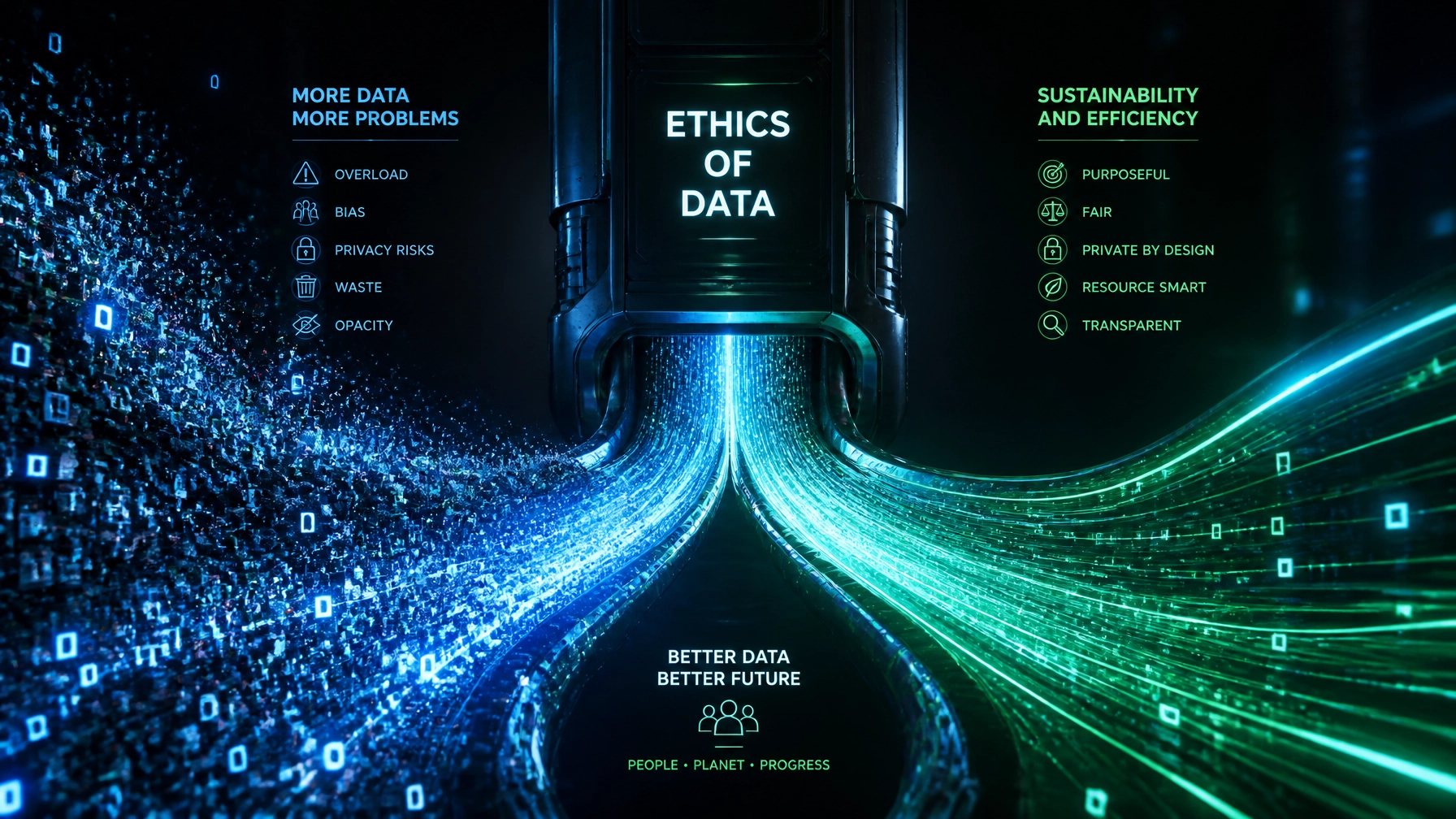
    At the Data Transmission Efficiency Alliance (DTEA), we spend a lot of time thinking about the ethics of data. It’s not just about how fast a video loads; it’s about the cost of moving those bits across the globe. When we push for higher resolutions without considering efficiency, we aren’t just giving consumers a sharper picture: we’re making choices that affect the environment, digital equity, and even privacy.

    The Hidden Carbon Footprint of Your 4K Binge-Watching

    Let’s talk about the elephant in the room: energy. Every time you hit "play" on a 4K stream, you aren't just using the power in your TV. You are pulling data from a massive facility: a data center: miles away. That data has to travel through underwater cables, through neighborhood hubs, and finally through your router.

    Futuristic data center facility intertwined with lush green leaves representing sustainable streaming

    Video is now the dominant form of data on the internet. According to research on video coding efficiency, even small increases in bitrate scale into massive system-wide energy consumption. When a streaming service defaults everyone to the highest possible resolution, they are effectively choosing to burn more electricity.

    If we don't use efficient codecs like HEVC (H.265) or the newer VVC (H.266), we are wasting power. These technologies can cut data usage by 50% without losing quality. From an ethical standpoint, choosing not to use these efficiencies is hard to justify when we know the impact on our climate.

    The Perceptual Ceiling: When Is "More" Just Wasted?

    Here is a truth the TV industry doesn't want you to know: your eyes have a limit.

    There is a point where the human eye can no longer distinguish between resolutions. If you are watching 8K content on a 65-inch screen from ten feet away, your brain literally cannot see the extra detail. You are paying: in data costs and energy: for pixels that might as well not exist.

    Comparison visual of Low Efficiency vs. Certified Efficient streaming quality

    This is what we call "diminishing perceptual returns." When we push for resolutions that exceed human perception, we aren't serving the consumer; we are serving a marketing narrative. At DTEA.org, we believe the industry needs to focus on perceived quality rather than just raw numbers.

    Why send an 8K stream to a smartphone? It’s a waste of the consumer's battery, a waste of their data plan, and a waste of the network's bandwidth. An ethical approach to data transmission means sending the right amount of data for the device and the viewer, not just the maximum amount.

    Digital Equity: When "More" Shuts People Out

    We often talk about the "Digital Divide," but we don't always talk about how data-heavy content makes it worse.

    Global connectivity globe showing the digital divide and struggle for accessibility

    In many parts of the world, and even in rural parts of the US, high-speed fiber isn't a thing. People rely on expensive mobile data or slow satellite connections. When a streaming service optimizes only for high-resolution, high-bitrate streams, they are effectively pricing out and excluding millions of people.

    Ethical data transmission is about accessibility. If a company uses a highly efficient codec, they can deliver a high-quality experience to someone with a mediocre connection. By prioritizing efficiency, we make information, education, and entertainment accessible to everyone, not just those with the fastest internet. Adaptive bitrate streaming is a great start, but it needs to be backed by industry-standard benchmarks that prioritize the low-end user as much as the 8K enthusiast.

    The Privacy Paradox: The More We See, The More We Risk

    There's another side to the "high-res" coin that gets very little attention: privacy.

    Higher resolution doesn't just mean prettier movies. In the world of surveillance and AI-driven data analysis, higher resolution means more invasive profiling. When cameras capture every micro-expression and every detail of a person's gait, the potential for privacy abuse sky-rockets.

    In contexts like healthcare or public safety, there is an ethical obligation to use the lowest resolution necessary to get the job done. If a medical professional can diagnose a patient using a 1080p stream, why capture and store a 4K stream that contains sensitive biometric data that isn't needed?

    "Data minimization" is a core tenet of privacy. We should only collect, transmit, and store what we actually need. Pushing for "more" just because we can creates a massive honeypot of sensitive information that can be hacked, leaked, or misused.

    Why the DTEA is Setting the Standard

    At the Data Transmission Efficiency Alliance, we don't think the industry should be left to grade its own homework. This is why we are establishing the first independent certification system for video compression and data transmission.

    Digital badge seal of DTEA representing trust and industry standards

    Our goal is to create performance benchmarks that reward organizations for achieving superior efficiency. We want to recognize the companies that are doing the hard work of optimizing their streams, reducing their carbon footprints, and making their content accessible to everyone.

    Certification isn't just a badge on a website; it's a commitment to a set of ethics. It tells the consumer, "We aren't just giving you more data; we're giving you better, smarter data."

    Conclusion: Shifting from "More" to "Better"

    The "more is always better" era is ending. It has to. Between the environmental costs and the social exclusion, the price of inefficient data is simply too high.

    As we move forward, the winners in the streaming and data center industries won't be the ones who can pump out the most pixels. They will be the ones who can deliver the best experience with the smallest possible footprint.

    The ethics of data demand that we stop chasing numbers and start chasing efficiency. It's time to build a digital world that is high-quality, sustainable, and inclusive for everyone.

    Check out how we are making this happen at DTEA.org and join the alliance to help set a new standard for the future of transmission.


  • How Low-Latency HLS is Changing Live Sports Forever

    How Low-Latency HLS is Changing Live Sports Forever

    We’ve all been there. You’re watching the championship game on your favorite streaming app. Suddenly, you hear a massive roar from your neighbor’s house. Five seconds later, your phone buzzes with a "GOAL!" notification from a sports app. Finally, ten seconds after that, you actually see the ball hit the net on your screen.

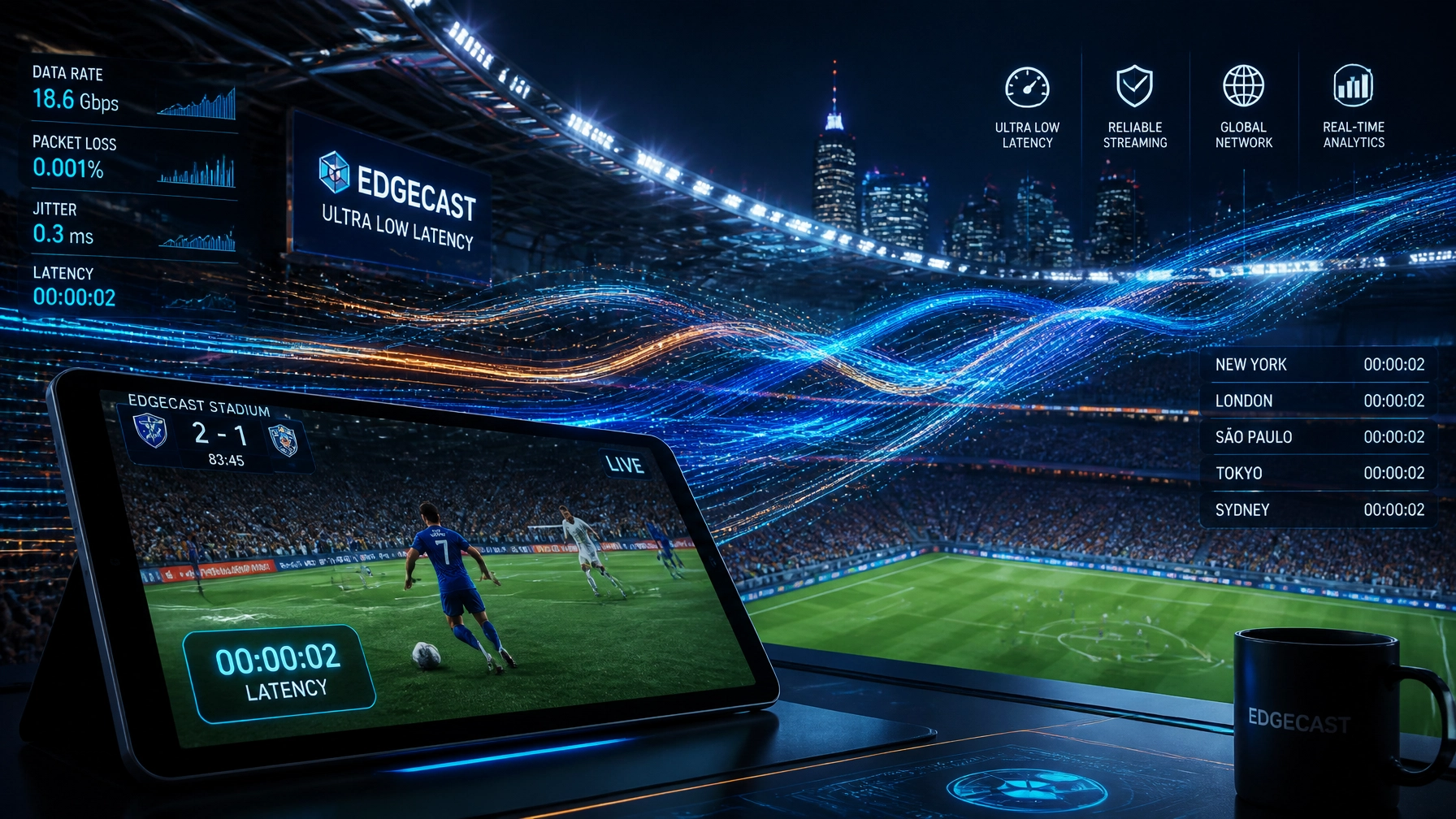
    The "Spoiler Effect" is the ultimate buzzkill for live sports. For years, streaming services have lagged behind traditional cable and satellite by 30 seconds or more. But that’s changing. Low-Latency HLS (LL-HLS) is the technology closing that gap, and it's fundamentally reshaping how we consume live sports.

    At the Data Transmission Efficiency Alliance (DTEA), we’re watching this shift closely. Because while speed is essential, doing it efficiently is what separates the winners from the losers in the streaming wars.

    The Latency Problem: Why Legacy HLS is "Slow"

    To understand the solution, you have to understand the problem. Standard HTTP Live Streaming (HLS) was designed for reliability, not speed. It breaks a video into "segments", usually 6 seconds long. The player needs to download a few of these segments before it even starts playing to ensure you don't get a buffering wheel.

    By the time the encoder finishes a segment, sends it to the server, and your player downloads a couple of them into its buffer, you’re already 20 to 30 seconds behind reality. For a sitcom, that's fine. For a live Super Bowl bet or a heated Twitter thread, it’s a disaster.

    Comparison between Legacy HLS and Low-Latency HLS timing

    Enter Low-Latency HLS: The Technical Magic

    Apple introduced Low-Latency HLS to fix this without breaking the internet. The beauty of HLS is that it works over standard HTTP, which means it scales to millions of viewers easily. LL-HLS keeps that scalability but changes the delivery mechanics.

    Here is how it actually works under the hood:

    1. Partial Segments (The "Chunk" Method)

    Instead of waiting for a full 6-second segment to finish, LL-HLS breaks segments into tiny "parts" (e.g., 200 milliseconds each). The player can start grabbing these parts as they are being generated. This alone shaves seconds off the delay.

    2. Preload Hints

    The server tells the player, "Hey, I’m about to make a new part. Here is the URL it will be at." The player can then request that data before it even exists. As soon as the data is ready, the server pushes it down the pipe. It’s like pre-ordering a coffee so it’s handed to you the moment you walk in.

    3. Blocking Playlist Reloads

    In the old days, the player would constantly ask the server, "Is there a new segment yet?" If the answer was "no," it would wait and ask again. LL-HLS allows the player to ask and then wait on the line until the server actually has something new. This removes the "polling" overhead that adds jitter and delay.

    Why This Changes the Game for Sports Fans

    Reducing latency from 30 seconds to under 3 seconds isn’t just a "nice to have." It unlocks entirely new ways to watch the game.

    Real-Time Betting and Micro-Wagering

    The sports betting industry is massive. But you can't place a "next point" bet if you're watching a stream that is 20 seconds behind the actual action. LL-HLS brings the stream in sync with the betting odds, allowing for micro-wagers on every play, every pitch, and every penalty.

    The End of Spoilers

    With LL-HLS, your stream is often faster than cable or satellite. You become the neighbor who cheers first. This synchronization is critical for social media. When everyone sees the goal at the same time, the "global living room" of Twitter and Discord actually works.

    Friends cheering in perfect synchronization across TV and mobile devices

    Interactive Engagement

    Imagine a live poll popping up on your screen asking, "Will he make this free throw?" If the stream is delayed, the free throw has already happened by the time you see the poll. Low latency allows for real-time interaction, multi-camera angle switching on the fly, and even personalized commentary tracks that match the action perfectly.

    The Efficiency Trade-off: The DTEA Perspective

    Here is the catch: making video go faster usually makes it "heavier." When you use shorter segments and faster encoding presets, you often lose about 5–10% in compression efficiency. This means you’re using more data to deliver the same quality.

    For a massive streaming service like Netflix, Prime Video, or a global sports broadcaster, a 10% drop in efficiency translates to millions of dollars in increased bandwidth costs and a significantly higher carbon footprint.

    This is where the Data Transmission Efficiency Alliance comes in. We believe you shouldn't have to choose between speed and efficiency. Our mission is to establish the first independent certification system for video compression. We set the benchmarks that prove a technology is not only fast but also resource-smart.

    How to Optimize LL-HLS for Maximum Efficiency:

    • Tune Your GOP (Group of Pictures): Finding the sweet spot between keyframe frequency and bitrate.
    • Adaptive Bitrate (ABR) Logic: Ensuring the player doesn't panic and drop to a lower resolution just because a small "part" was slightly late.
    • Edge Computing: Using CDNs that support the latest LL-HLS directives (like Delta Updates) to reduce the amount of metadata sent over the wire.

    Benchmarking the Future

    As we move toward 2027, the demand for "true live" streaming will only grow. 5G and fiber networks have the capacity, but the protocols and the compression must be optimized.

    Streaming companies need to know: Is my LL-HLS implementation actually efficient? Am I burning money on egress fees just to save two seconds of latency?

    By seeking DTEA certification, organizations can prove to their stakeholders and customers that they are using world-class data transmission standards. We are moving toward a world where "Live" actually means now, and "Efficient" means sustainable.

    Digital dashboard showing low-latency metrics and DTEA certification logo

    Final Thoughts

    Low-Latency HLS is more than just a technical update; it’s the bridge that makes digital streaming superior to traditional broadcast. It brings the stadium's energy into our homes without the lag.

    If you're a streaming provider, a data center, or a tech developer in the video space, now is the time to audit your transmission efficiency. Don't just get fast: get efficient.

    Check out how we are setting the new standards for the industry at DTEA.org.


  • How to Choose the Best Bitrate Efficiency Metrics (Compared)

    If you're running a streaming service or managing a data center, you know that "bandwidth is money." But how do you actually measure if your video compression is doing its job?

    At the Data Transmission Efficiency Alliance (DTEA), we talk to engineering teams at places like Netflix, AWS, and Prime Video every day. The biggest headache they face isn't a lack of data: it's having too many metrics that don't always agree.

    If you use the wrong metric, you might think you’re saving money when you’re actually killing your video quality. Or worse, you might be over-compressing and losing viewers to the "spinning wheel of death" or blocky artifacts.

    In this guide, we’re going to break down the most common bitrate efficiency metrics, compare them side-by-side, and help you choose the right one for your workflow.


    Why Metric Choice Matters (The Bottom Line)

    Efficiency isn't just a technical buzzword. For a global streaming platform, a 10% improvement in bitrate efficiency can mean millions of dollars saved in CDN costs and storage. For a data center, it means more capacity without adding more racks.

    But "efficiency" is a moving target. To measure it correctly, you need two things:

    1. A Quality Metric: How "good" does the video look?
    2. An Efficiency Metric: How many bits did it take to get there?

    Let’s dive into the contenders.


    1. PSNR (Peak Signal-to-Noise Ratio)

    The Old School Standard

    PSNR is the "grandfather" of video metrics. It’s a simple mathematical calculation based on the Mean Squared Error (MSE) between the original frame and the compressed frame.

    • Pros: It’s incredibly fast to calculate and everyone in the industry knows how to read it. It’s "objective" in the purest sense: it just looks at pixel differences.
    • Cons: It’s famously bad at predicting what humans actually see. You can have a high PSNR score on a video that looks terrible because the "noise" it measures doesn't always translate to visual artifacts that bother a viewer.

    Verdict: Use PSNR for basic codec debugging, but don't base your entire business strategy on it.


    2. SSIM (Structural Similarity Index)

    The "Human-Lite" Approach

    SSIM was designed to fix the flaws of PSNR. Instead of just looking at pixel errors, it looks at "structure." It considers changes in luminance, contrast, and texture: things our brains are actually wired to notice.

    • Pros: Much better correlation with human perception than PSNR. It’s great at catching "banding" or "blocking" artifacts that PSNR might miss.
    • Cons: It can still be fooled by certain types of processing (like sharpening or grain). It’s also slightly more computationally expensive than PSNR.

    Verdict: A solid middle ground for most engineering teams.

    A split-screen comparison UI showing two video frames: one with 'Old School PSNR' showing pixelated edges, the other with 'DTEA Certified SSIM' showing smooth textures. The background is a dark, sleek tech dashboard with glowing green and orange data points.


    3. VMAF (Video Multi-method Assessment Fusion)

    The Gold Standard for Streaming

    Developed by Netflix, VMAF is a "fused" metric. It uses machine learning to combine multiple elementary metrics (including detail loss and motion) to predict a Mean Opinion Score (MOS), basically, it tries to guess how a human would rate the video on a scale of 0 to 100.

    • Pros: Currently the most accurate automated way to predict viewer satisfaction. It’s tailored specifically for the types of distortions found in streaming video.
    • Cons: It’s "heavy." Calculating VMAF takes significant CPU power. It can also be "gamed" by encoders that are specifically tuned to look good to the VMAF algorithm but not necessarily to human eyes.

    Verdict: The best choice for VOD (Video on Demand) where you have the time to run complex analysis.


    4. BD-Rate (Bjøntegaard-Delta Rate)

    The Metric of Efficiency

    This is the one that really matters for your CFO. BD-Rate isn't a quality metric like the others; it’s a way to compare two different encoding methods.

    If Codec A needs 5 Mbps to hit a VMAF score of 95, and Codec B only needs 4 Mbps to hit that same score, BD-Rate tells you exactly how much "gain" you've made (in this case, 20% savings).

    • Pros: It provides a single percentage number: "We are X% more efficient than we were last month."
    • Cons: It depends entirely on which quality metric you plug into it. (e.g., You can have a "PSNR-based BD-Rate" or a "VMAF-based BD-Rate").

    Verdict: This is the metric DTEA uses to certify technologies. It’s the ultimate KPI for transmission efficiency.


    Comparison Table: Which One Should You Use?

    Metric Accuracy (Human View) Computational Cost Best Use Case
    PSNR Low Very Low Quick codec debugging
    SSIM Medium Low General purpose quality checks
    VMAF High High VOD and high-end streaming
    BD-Rate N/A (Comparative) Medium Calculating ROI and savings

    How to Choose Based on Your Business

    Not everyone needs the highest-precision metric. Here’s how we recommend picking your poison:

    For Live Streaming (Low Latency)

    In live streaming, you don't have time for a 5-minute VMAF calculation on a 2-second segment. Stick to SSIM or even PSNR for real-time monitoring. You need "fast and good enough" to ensure the stream hasn't crashed or degraded significantly.

    For VOD (Netflix-Style)

    If you’re pre-encoding a library of thousands of movies, accuracy is everything. Use VMAF-based BD-Rate. Spend the extra CPU cycles during the encoding process to ensure you’re squeezing every bit of efficiency out of your files.

    For Data Center Optimization

    If you’re trying to prove to a client that your new hardware or software reduces their storage footprint, BD-Rate is your best friend. It’s the language of ROI.

    A group of data center engineers in a modern, blue-lit server room looking at a holographic chart showing 'Bandwidth Efficiency' soaring upward. A 'DTEA Certified' logo is visible on the screens. The atmosphere is professional, techy, and successful.


    The DTEA Mission: Independent Certification

    The problem today is that every codec developer claims they have "30% better efficiency" than the competition. But they usually pick the specific metric and the specific video clip that makes them look best.

    That’s why the Data Transmission Efficiency Alliance (DTEA) was formed. We are building the industry's first independent certification system. We don't sell encoders; we set the benchmarks.

    When a technology is DTEA Certified, it means it has been put through a rigorous, standardized test using a combination of the metrics above. We ensure that when someone says "20% savings," they actually mean it.

    Why Certification Matters for You:

    • For Buyers (AWS, Netflix, Prime): You can stop guessing which vendor is telling the truth. Our certification gives you a "Nutrition Label" for data efficiency.
    • For Developers: You get an independent stamp of approval that proves your tech actually works at scale.
    • For the Industry: Leaner data moves faster. By standardizing these metrics, we help solve the latency issues that plague the modern web.

    Final Thoughts

    Choosing a metric isn't a "one and done" decision. Most high-performing teams use a layered approach:

    1. PSNR/SSIM for real-time monitoring.
    2. VMAF for final quality assurance.
    3. BD-Rate for long-term efficiency tracking and business reporting.

    Efficiency is the silent engine of the digital world. If you want to make sure your engine is running at peak performance, you need to measure it with the right tools.

    Want to see how your tech stacks up? Learn more about our certification process at DTEA.org.

    A sleek, silver metallic 'DTEA Certified' seal glowing against a dark carbon fiber background. Text around the seal reads 'DATA TRANSMISSION EFFICIENCY ALLIANCE - INDEPENDENT VERIFICATION'. High-end, professional, and authoritative aesthetic.