Storage isn’t just a line item on your budget anymore. In 2026, it’s a liability.
If you are managing a data center or a high-volume streaming service, you are likely sitting on a mountain of digital "junk." We call it data bloat. It’s the result of years of "keep everything" policies, redundant renders, and outdated video codecs that eat up space like a black hole.
The cost of this inefficiency is staggering. It’s not just the hardware, it’s the power, the cooling, and the massive egress fees you pay every time you move that bloated data.
It is time to clean house. This step-by-step audit will help you identify waste, optimize your video library, and implement the kind of efficiency standards we champion here at the Data Transmission Efficiency Alliance (DTEA).
Step 1: Build a Comprehensive Inventory
You can’t fix what you can’t see. Your first move is to crawl every corner of your storage environment, NAS, SAN, S3 buckets, and even your "forgotten" archive tiers.
Don't just look at file names. You need deep technical metadata. Use tools like ffprobe or MediaInfo to extract:
- Codec & Profile: Are you still hosting H.262 or early H.264 files?
- Bitrate & Resolution: Is that 1080p clip actually running at a bitrate meant for 4K?
- Last Access Date: When was the last time a user actually pulled this file?
Once you have this inventory, you’ll likely find that 30% of your storage is occupied by files that haven't been touched in over 18 months. This is your "low-hanging fruit."

Step 2: Hunt Down the Duplicates
Redundancy is the silent killer of data center efficiency. In video production and streaming, duplicates happen in three ways:
- Exact Bit-Identical Duplicates: These are easy. Run a SHA-256 hash across your library. If two files have the same hash, they are the same file. Delete the copy and use a symlink or a logical reference.
- Container Redundancy: Often, the same video stream is wrapped in different containers (.mp4, .mkv, .ts). If the video and audio tracks are identical, you don't need three versions. Pick a canonical format and remux.
- Perceptual Duplicates: This is where it gets tricky. These are videos that are visually the same but have different bitrates or resolutions (e.g., an editor's export vs. a final master).
Use perceptual hashing (pHash) to identify these "near-duplicates." If two videos are 99% visually identical, ask yourself: do we really need both?
Step 3: The Codec Audit (Legacy vs. Modern)
This is where the DTEA benchmarks come into play. Many data centers are still using H.264 for their entire library because "it just works."
But "just working" is costing you a fortune. Modern codecs like HEVC (H.265) and AV1 offer the same visual quality at 30% to 50% lower bitrates.
During your audit, flag any high-volume content still sitting in legacy formats.
- HEVC: Great for high-quality archival and 4K delivery.
- AV1: The gold standard for royalty-free, high-efficiency streaming in 2026.
- VVC (H.266): The bleeding edge for when you absolutely need the smallest footprint possible.
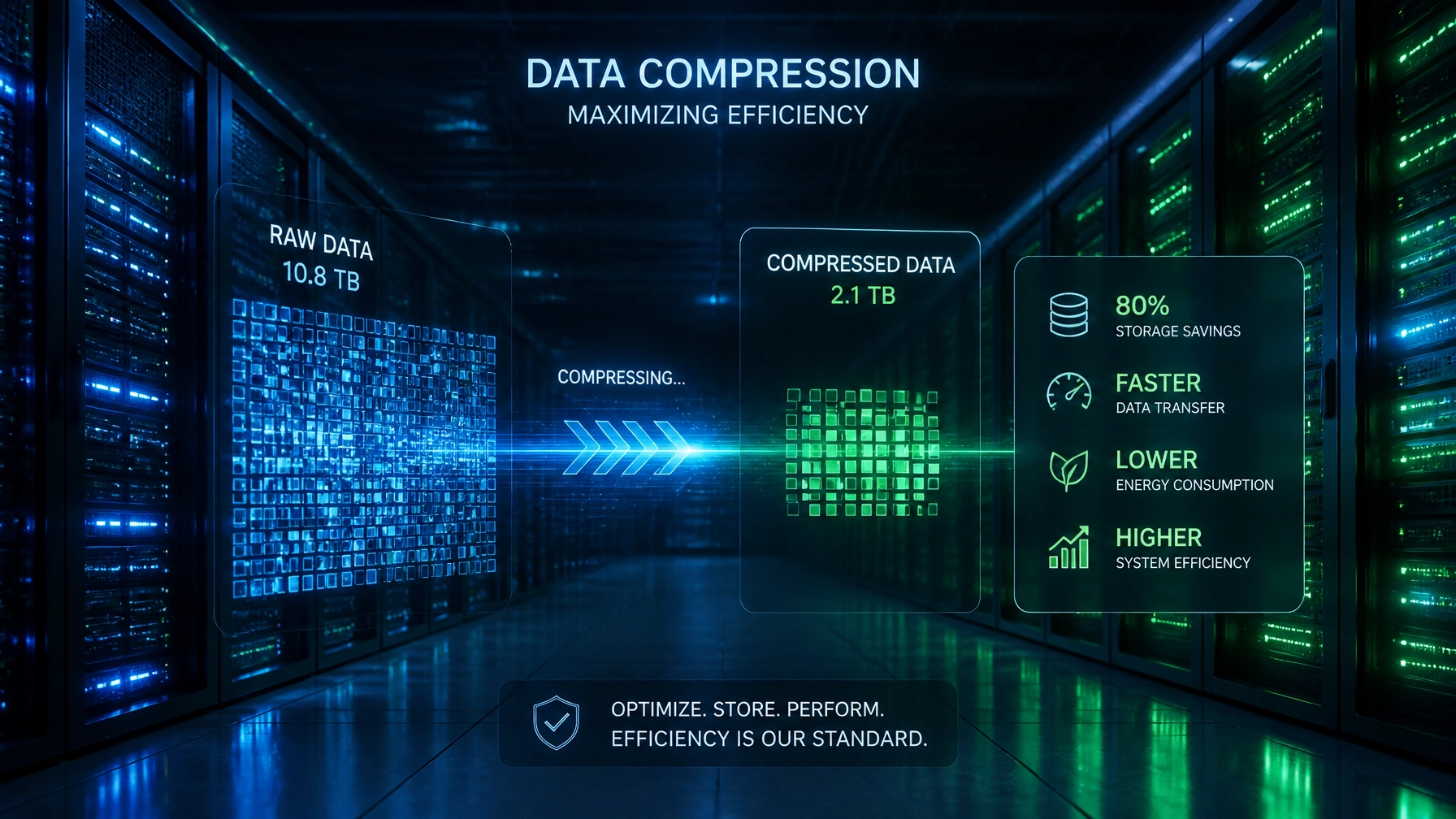
Re-encoding your "Warm" and "Cold" storage into AV1 can literally cut your storage bill in half overnight.

Step 4: Implement a Tiered Storage Strategy
Not all data deserves the "Hot" tier. Storing 10-year-old raw footage on high-performance NVMe drives is financial malpractice.
A successful audit should result in a clear tiering strategy:
- Hot Tier (Flash/SSD): Active projects, frequently streamed VOD, and low-latency live caches.
- Warm Tier (HDD/Object Storage): Your active catalog. Files accessed once a month.
- Cold Tier (Tape/Glacier): Archival masters and compliance footage.
Use automated lifecycle policies (like those found in AWS S3) to move data between these tiers automatically based on access patterns. If a video hasn't been watched in 90 days, it should automatically drop to a cheaper tier.

Step 5: Stop the Bleeding with Independent Certification
The biggest mistake managers make is thinking the audit is a one-time event. Efficiency is a habit, not a project.
This is why the Data Transmission Efficiency Alliance exists. We are establishing the first independent certification system for video compression. By certifying your tech stack and your workflows, you ensure that every file entering your data center is already optimized.
When you see the DTEA seal, you know that the technology meets rigorous benchmarks for:
- Compression Efficiency: Maximum quality at minimum bitrate.
- Power Consumption: Lowering the carbon footprint of every transcode.
- Transmission Speed: Reducing the time it takes to move data across the globe.
Streaming giants like Netflix and Prime Video have massive teams to handle this. For everyone else, DTEA provides the roadmap.
Conclusion: Efficiency is Your Competitive Edge
In the streaming wars of 2026, the winner isn't just the one with the best content: it's the one with the lowest operating costs.
A storage audit is the most direct way to improve your bottom line. By removing duplicates, upgrading your codecs, and tiering your storage, you free up capital that can be reinvested into better features and faster delivery.
Don't let your data center become a digital junkyard. Start your audit today, and join the Data Transmission Efficiency Alliance to stay at the forefront of transmission tech.
